

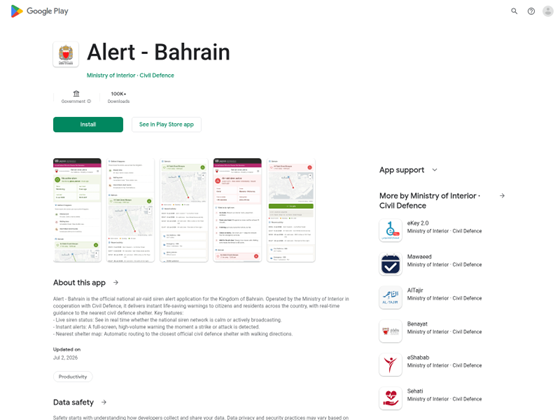
Smartphone users have been urged to check before installing applications, especially from unverified sources, as they could end up stealing data, including bank information.
Hidd Police Station head Colonel Dr Osama Bahar said that there is no exact number of harmful apps that target people and user data, with estimates that they could be in the hundreds of thousands each day.
Speaking on the Interior Ministry’s Al Aman social media programme, Col Dr Bahar urged people to think carefully and review any application before installing it on their phones.
“Statistics indicate that around 450,000 malicious apps are designed daily by entities seeking to harm you and steal your data,” he said.
“The National Cyber Security Centre has already warned against apps that provide alerts and notification updates in Bahrain.
“These apps can hack your entire phone and the centre recommends only downloading apps from your device’s official app store, depending on your phone.”
“Malicious apps hack into your phone by tricking you into downloading them under false pretences, manipulating user permissions, or exploiting unpatched flaws in the phone’s operating system.
“Once inside, they run background scripts to steal data, track your location, or record your activity.”
Malware often poses as everyday tools like free VPNs, QR code scanners, or mobile games, and hackers heavily distribute compromised apps on unofficial, poorly regulated marketplaces.
Malicious software updates: Rogue websites or pop-up adverts mimic official system alerts to push infected installation files (APK files).
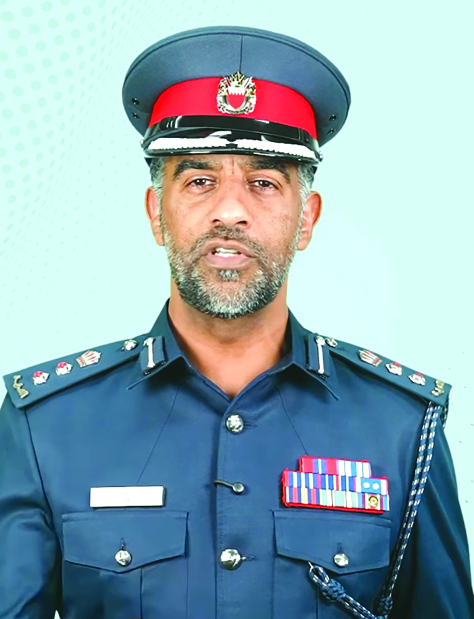
Col Dr Bahar
Col Dr Bahar recommended ways people can check apps before installing them on their phones to protect themselves from malicious intent.
“Download the app from the official stores on your phones only to minimise the risk,” he said.
“Check your app’s permissions for access to your data. Some apps you think that look ordinary might be hacking apps.
“Malicious apps especially request illogical permissions. For example, if you have a Flash Player installed, why does it need your location and access to your contacts?
“If you have a tide tracking app, it makes sense for it to ask for location, but it is illogical for it to ask to read your screen content.”
The major risk, according to Col Dr Bahar, is that such apps that need permission to read your screen could be working in the background without your knowledge and viewing your data without permission.
“Therefore, if you open a banking app, there is a good chance that malicious apps could steal your banking information and transfer money out of your account without permission or authorisation.
“Review the permissions carefully,” he said.
“Delete any apps that you don’t need and rely only on trusted and official ones.”
Last month, the GDN reported that a fake emergency alert app that poses as an official Civil Defence service, but secretly instals malware capable of stealing passwords, banking credentials and other sensitive data, has made the rounds.
According to a report by Dream Research Labs, the app, ‘BH Alert’ attempts to impersonate genuine Bahrain public institutions with the intention of luring people to trust it ... only for the stunned users to risk losing everything.
The app impersonates real Bahraini public institutions to establish trust with victims, including the Civil Defence, Interior Ministry and the Information and eGovernment Authority.
Hidden inside high-fidelity Google Play storefronts, the app was shown to have more than 100,000 downloads.
nader@gdnmedia.bh
&uuid=(email))